
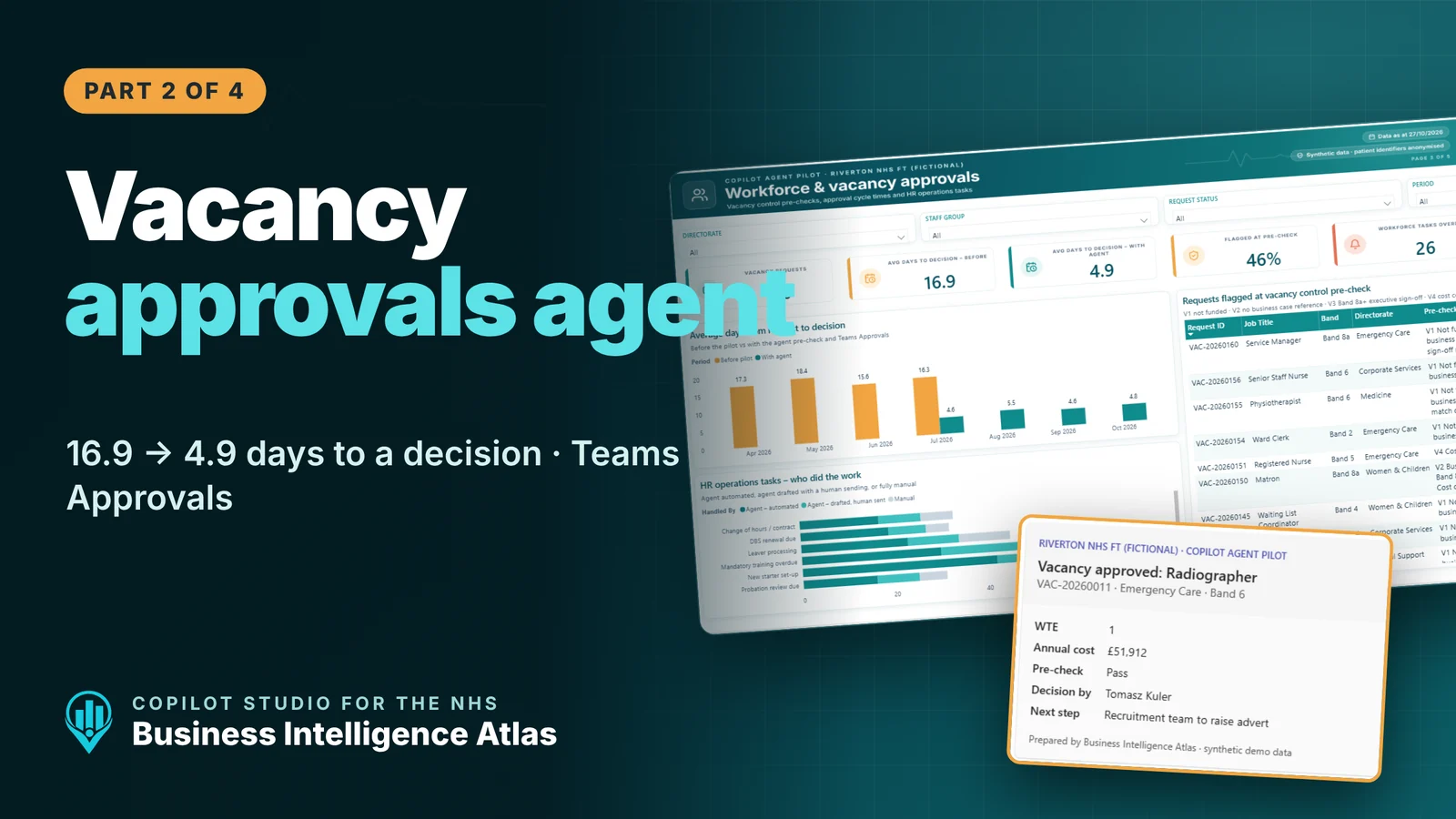
In most NHS trusts a vacancy request passes through several people before anyone decides. Requests arrive without a business case, against a post that is not funded in the establishment or with the wrong cost centre, and they bounce back days later. At our fictional trust the average request took 16.9 days to reach a decision.
This demo shows a Copilot Studio agent that pre-checks every vacancy request against the trust’s vacancy control rules, sends clean requests to the right approver through Teams Approvals, posts the decision back to the team and helps HR operations chase overdue tasks. The approver always decides. With the agent, the average time to a decision fell to 4.9 days.
This article is part 2 of a four-part series on our Copilot agent pilot for a fictional NHS trust: waiting list validation, workforce and vacancy approvals, finance checks, measuring value and governance.
Watch the vacancy approvals demo
A walkthrough of the agent, from the pre-check rules and flagged requests to Teams Approvals, HR task reminders and the Power BI workforce page:
Why vacancy control is slow, and where an agent helps
Vacancy control panels exist for good reasons: every post costs money and must fit the establishment. The delay rarely comes from the decision itself. It comes from incomplete requests, manual checks against the establishment and chasing approvers by email. Those steps are rule-based, which makes them a good job for an agent.
- Before the pilot: 16.9 days on average from request to decision, with requests returned for missing information.
- With the agent: 4.9 days on average, because problems are caught at submission and approvals happen in Teams.
- HR operations: 26 overdue tasks, with 80% of tasks now handled or drafted by the agent.
What the demo covers
| Item | In the demo |
|---|---|
| Agent | Workforce & Vacancy Agent, built in Copilot Studio and published to Microsoft Teams |
| Data | SharePoint lists: Vacancy Requests (160 requests), Workforce Tasks and the Agent Activity Log |
| Rules | SOP-WF-01 Vacancy Control (V1 to V4) and SOP-WF-02 Workforce Compliance Checks |
| Tools | Four Power Automate flows: get vacancy requests, send vacancy to approver, check workforce tasks, send workforce reminders |
| Approvals | Microsoft Teams Approvals to the divisional director, with the decision posted back to the team channel |
| Governance | DPIA for the workflow; staff identified by reference number only; the agent never approves anything |
How the workforce agent works
1. Four pre-check rules from the vacancy control SOP
For every request the agent checks four rules: V1 is the post funded in the establishment, V2 is there a business case reference where one is needed, V3 does a Band 8a or above post have executive sign-off and V4 does the cost centre match the directorate. The result is stored against the request in SharePoint.
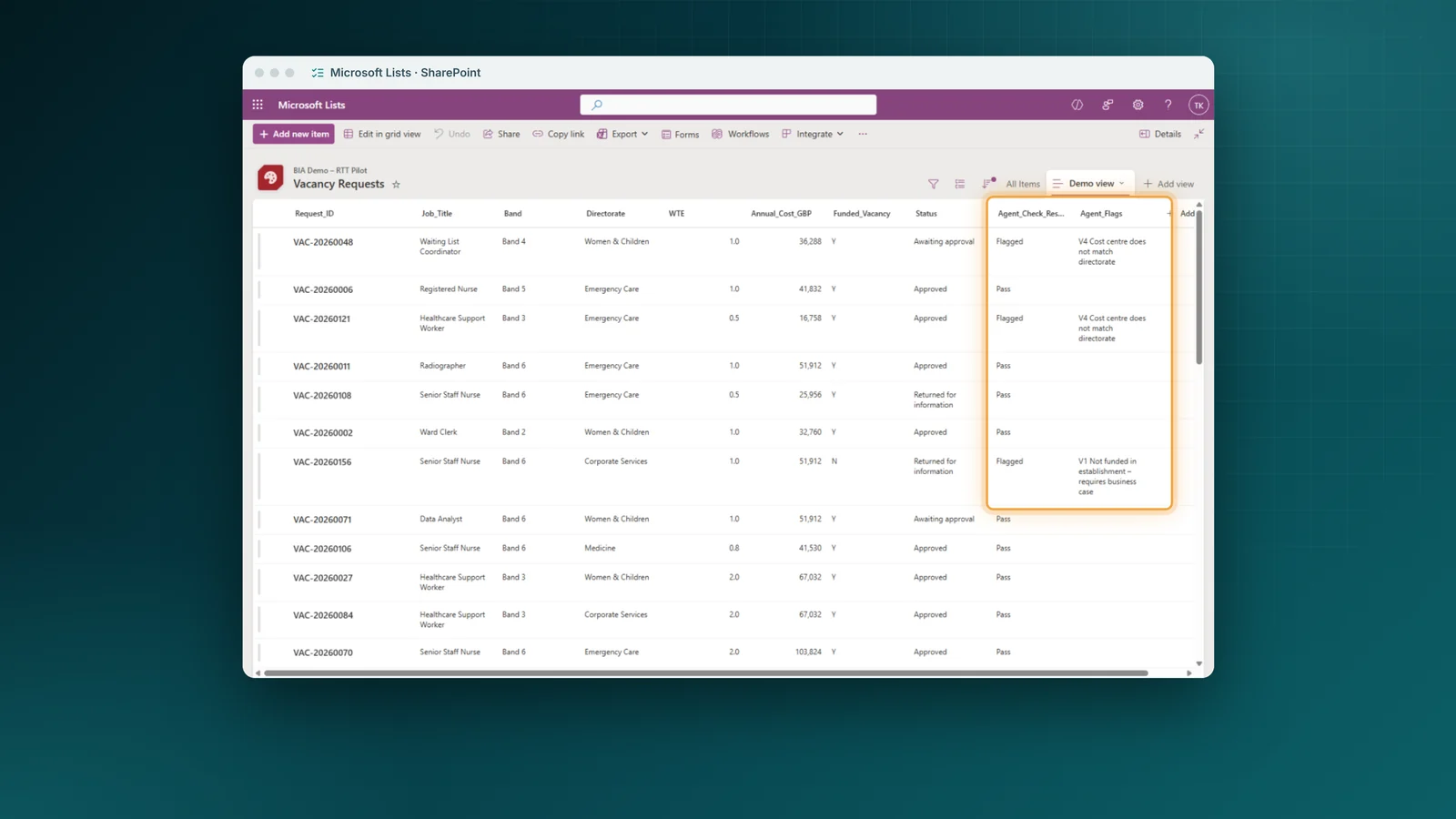
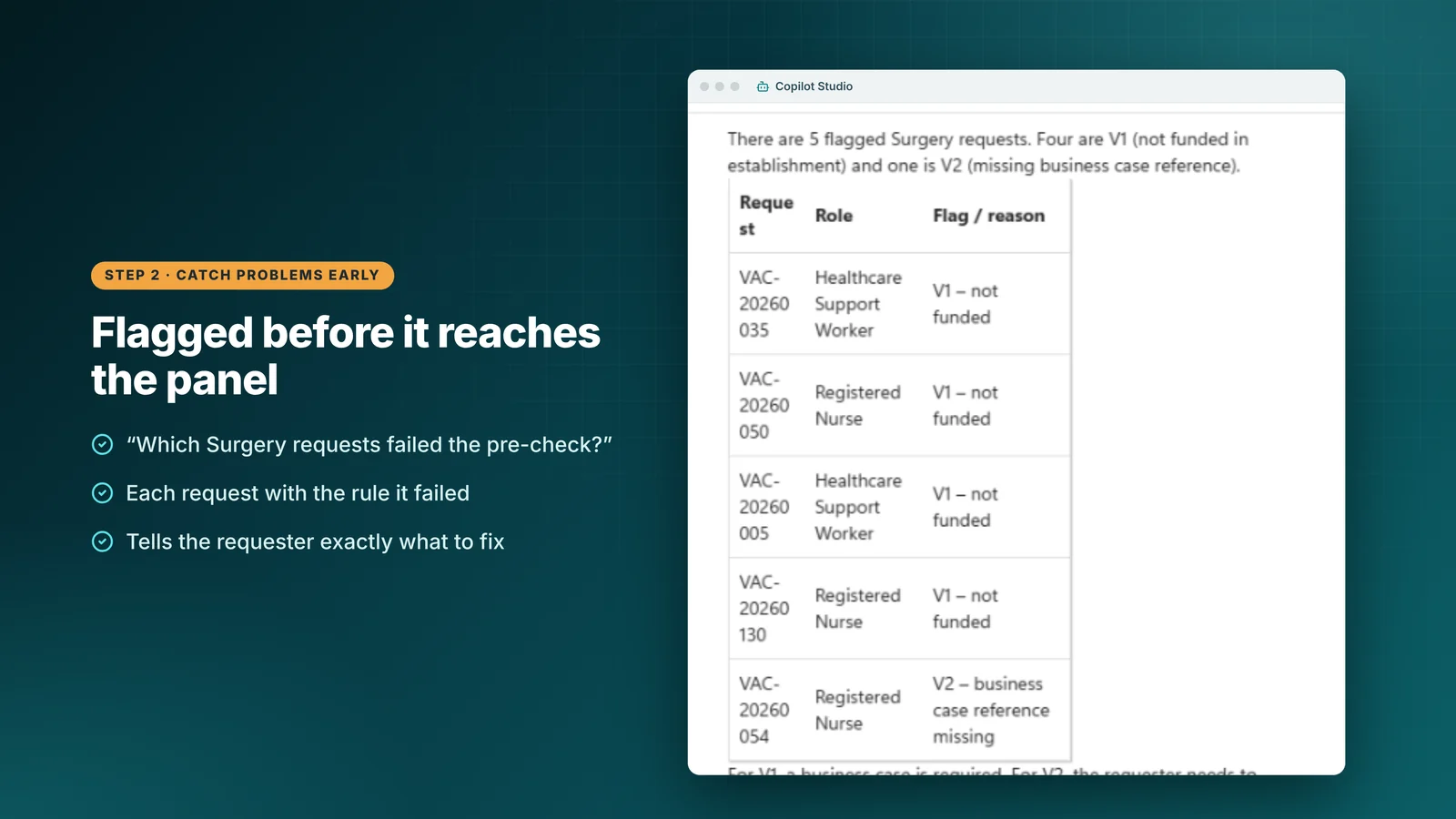
2. Problems caught before the panel
A workforce manager asks which Surgery requests failed the pre-check. The agent lists each one with the rule it failed and tells the requester exactly what to fix, for example adding the business case reference. Requests are fixed at the start, not returned at the end.
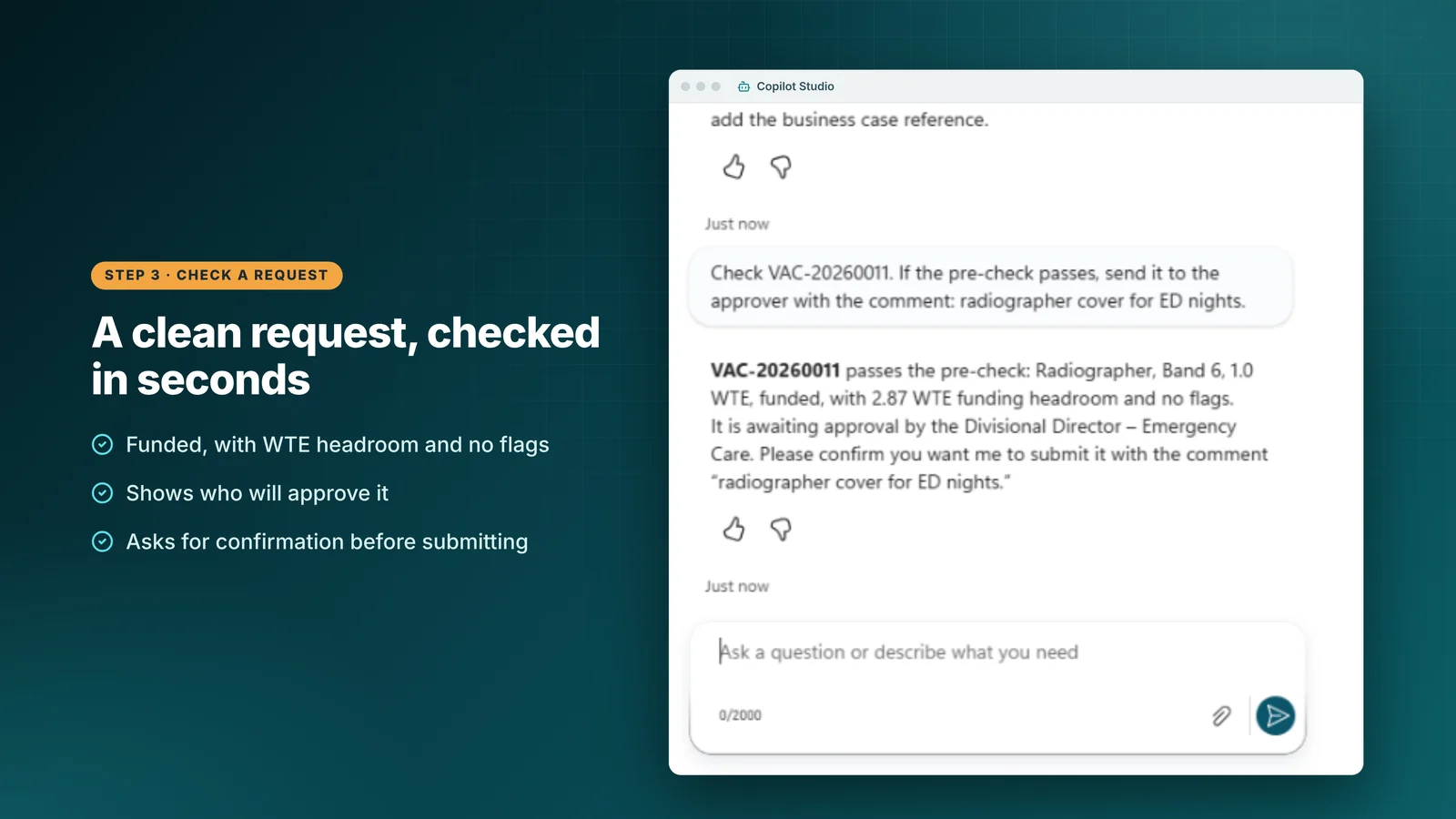
3. A clean request, checked and sent in seconds
The manager asks the agent to check a Band 6 radiographer request and, if it passes, send it to the approver. The agent confirms it is funded, with 2.87 WTE of headroom and no flags, shows who will approve it and asks for confirmation before submitting. A simple yes, send it sends it through Teams Approvals with the requester’s comment.
4. The approver decides in Teams
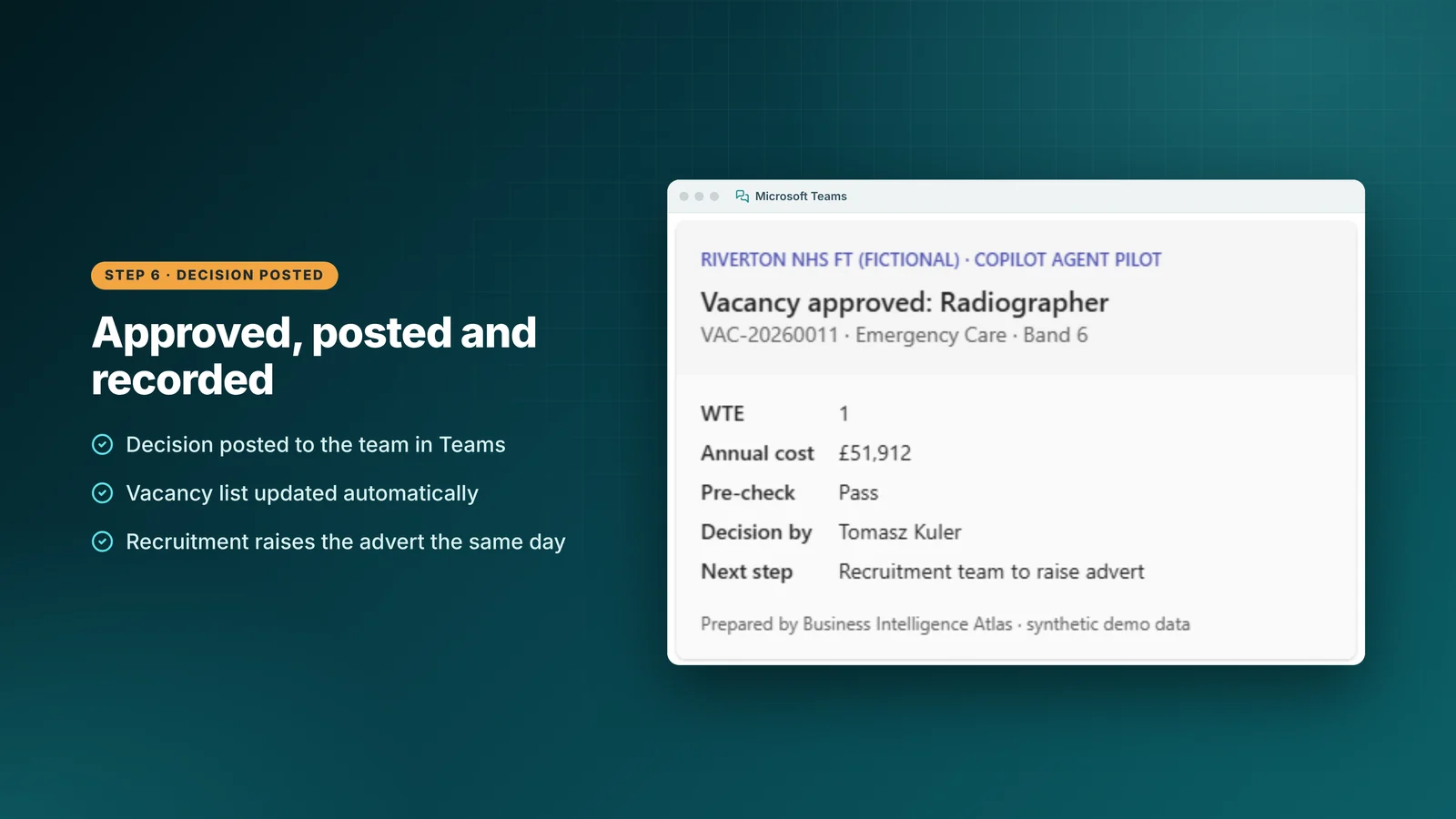
The divisional director sees the directorate, WTE, annual cost including on-costs, the reason, the funding status and the agent’s pre-check result in one approval card, and approves or rejects with a comment. The agent never approves a vacancy itself.

5. The decision is posted and recorded
The decision is posted straight back to the team in Teams and the vacancy list is updated automatically, so recruitment can raise the advert the same day.
6. Overdue HR operations tasks, chased for you
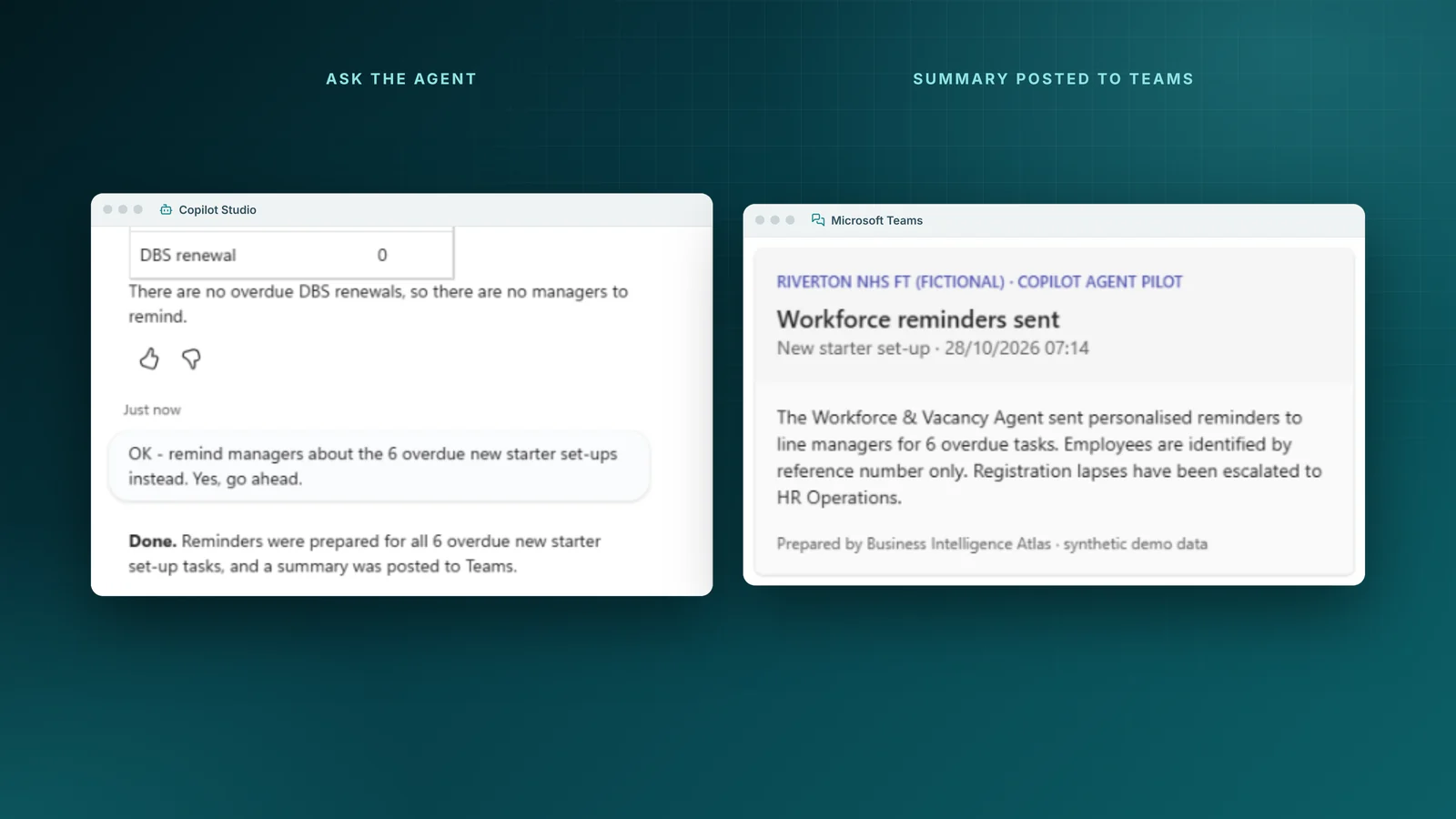
The same agent helps HR operations. Asked which tasks are overdue, it breaks the 26 overdue tasks down by type, such as new starter set-up, mandatory training and changes of hours. It also states plainly that there are no overdue DBS renewals rather than inventing any. Asked to remind managers about overdue new starter set-ups, it sends personalised reminders and posts a summary to Teams.
Inside the Power BI workforce page
The workforce page of the Copilot Agent Value report compares the average days from request to decision before the pilot and with the agent, lists the requests flagged at pre-check by rule and shows who did the HR operations work: agent automated, agent drafted with a human sending, or fully manual.

How to design a vacancy control agent your panel will trust
- Write the rules down first. Number them (V1 to V4) so the agent, the requester and the panel use the same language.
- Ask before acting. The agent confirms before it submits anything on someone’s behalf.
- Keep approval with people. Use Teams Approvals so decisions are made and audited where managers already work.
- Close the loop. Post the decision back to the team and update the record automatically.
- Measure cycle time. Compare request-to-decision days before and after, not just agent usage.
Who this is for
- Workforce directors and heads of workforce planning
- Vacancy control panels and finance business partners
- HR operations and recruitment teams
- Digital teams rolling out Microsoft 365 Copilot and Copilot Studio
How we deliver workforce agents
- Discovery: map the vacancy control and HR operations process, the rules and the approval routes.
- Data: connect establishment, ESR or iTrent extracts and the vacancy request form, in SharePoint or Microsoft Fabric.
- Build: Power Automate tools, Teams Approvals and the Copilot Studio agent.
- Governance: DPIA, testing with managers and approvers, and clear limits on what the agent can do.
- Measure and hand over: Power BI benefits reporting, runbooks and training for your team.
Read more about our AI and Copilot services, our Power BI for HR teams and our healthcare reporting.
Frequently asked questions about Copilot agents for vacancy control
Can a Copilot Studio agent approve vacancies?
It should not, and in our design it cannot. The agent pre-checks the request and sends it through Teams Approvals; the approver makes the decision.
What does the vacancy pre-check look at?
Whether the post is funded in the establishment, whether a business case reference is present when needed, whether Band 8a and above posts have executive sign-off, and whether the cost centre matches the directorate.
Does it work with ESR or iTrent?
Yes. The agent reads establishment and staff-in-post data from an extract, held in SharePoint or Microsoft Fabric, so it works alongside your existing HR system.
How do Teams Approvals fit in?
Power Automate creates an approval for the named approver. They respond in Teams or Outlook, and the outcome flows back to the request and to the team channel.
Can the agent chase overdue HR tasks?
Yes. It summarises overdue tasks by type and, when asked, sends personalised reminders to line managers and posts a summary for HR operations.
Is personal data shared with the agent?
Staff are identified by reference numbers in the demo. In a live trust we agree the minimum data needed in the DPIA.
How much time does it save?
In the pilot, the average time to a vacancy decision fell from 16.9 to 4.9 days, and 80% of HR operations tasks were handled or drafted by the agent.
How quickly can we start?
A focused pilot typically takes four to six weeks, depending on access to establishment data and governance sign-off.
Want faster vacancy decisions in your trust?
We can give you live access to the demo agent and the Power BI report. If you are planning Copilot Studio for workforce or HR, book a no-obligation discovery call and we will show you what this would look like with your own establishment data and approval routes.
Business Intelligence Atlas (Atlas BI) is a UK Microsoft Fabric, Power BI and Copilot Studio consultancy. Riverton NHS Foundation Trust is fictional and all data in this demo is synthetic and anonymised: patients, staff and suppliers are invented and identified by reference numbers only.
Comments are closed