
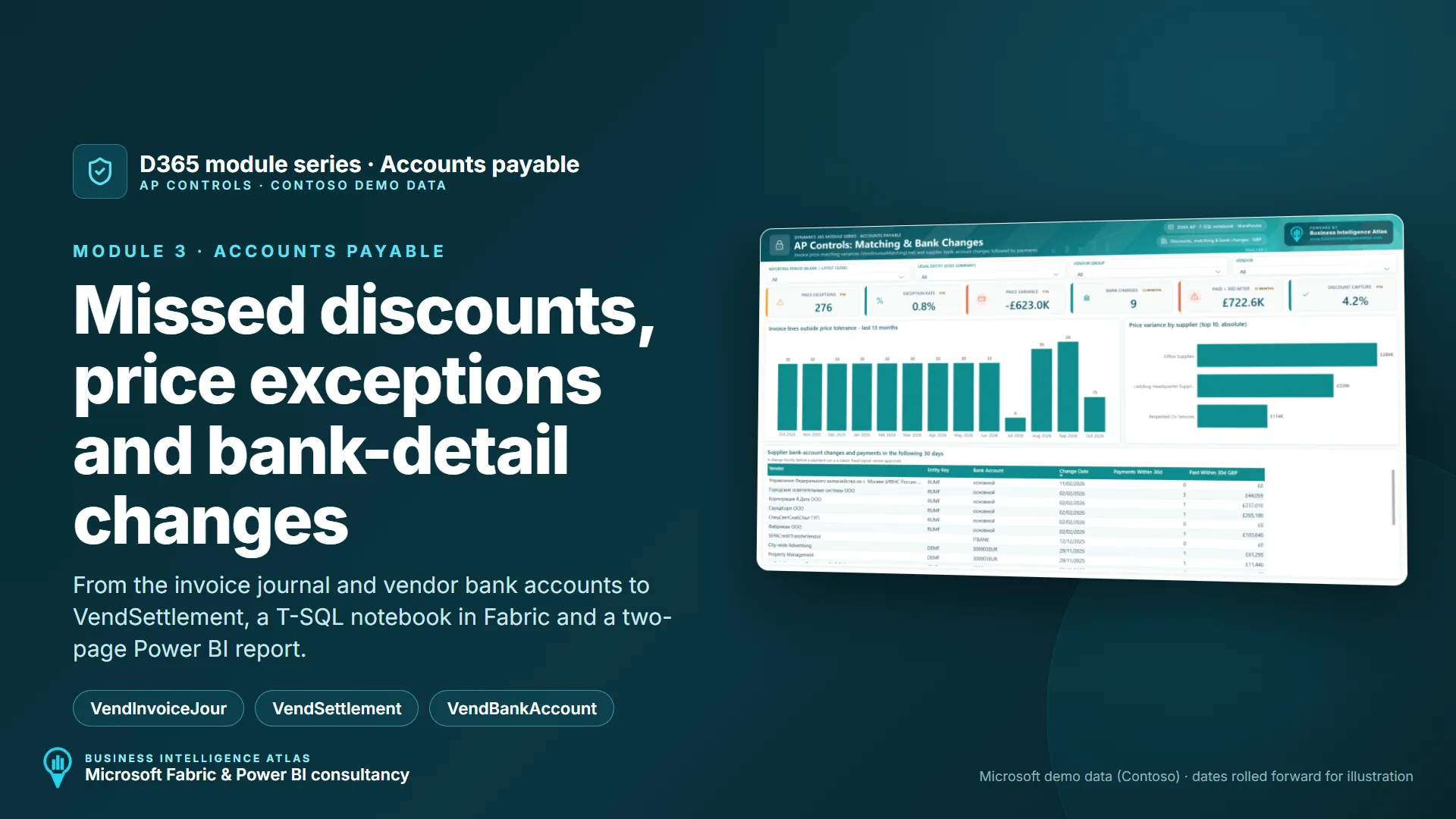
Three questions come up whenever finance or audit look at payables. Are we paying suppliers on time? Are we taking the early-payment discounts they offer? And could anyone change a supplier’s bank details just before a payment run? Dynamics 365 Finance & Operations (D365 F&O) records every answer, but across five screens and eight tables, and some of the facts you need aren’t stored anywhere directly.
This is module 3 of our D365 F&O series. Each module follows the same path: the screens your team already uses, the tables behind them, one T-SQL notebook in Microsoft Fabric, and a Power BI report. Earlier modules covered sales margin and OTIF and inventory value at any date; the platform underneath is covered in D365 F&O to a Power BI board pack in Microsoft Fabric.
Watch: D365 accounts payable controls, from the screen to Power BI
Key takeaways
- The paid date isn’t on the vendor invoice: it is the last settlement date in
VendSettlement. - Discount taken is
VendSettlement.UtilizedCashDisc, stored as a negative amount; missed discount is what the invoice offered but was not used. VendInvoiceMatchingLinehas no business date: date and vendor come from the pending invoice header throughRefRecId,ParmIdandTableRefId.- The demo shows £24.0M of invoices year to date, 24.5 days to pay, 65.8% paid on time, and £46.7K of discount missed against £2,058 taken (4.2% capture).
- 9 supplier bank-account changes in 12 months were followed by £722.6K of payments within 30 days: a list for someone to review.
Where accounts payable lives in Dynamics 365
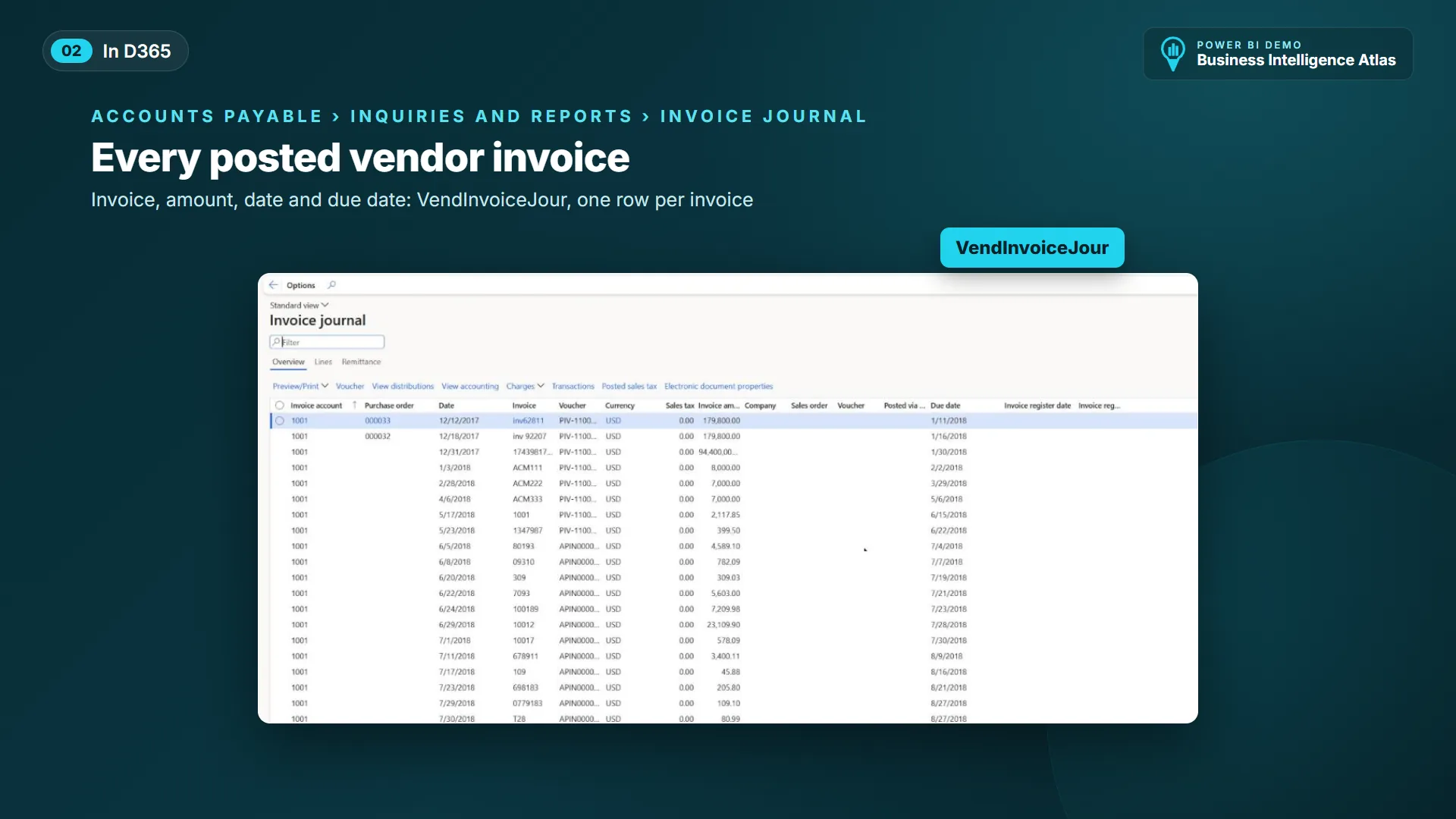
The Invoice journal lists every posted vendor invoice: vendor account, invoice number, amount, invoice date and due date. It is the VendInvoiceJour table, and it is where the on-time payment question starts.
Form information: the due date, and what’s missing
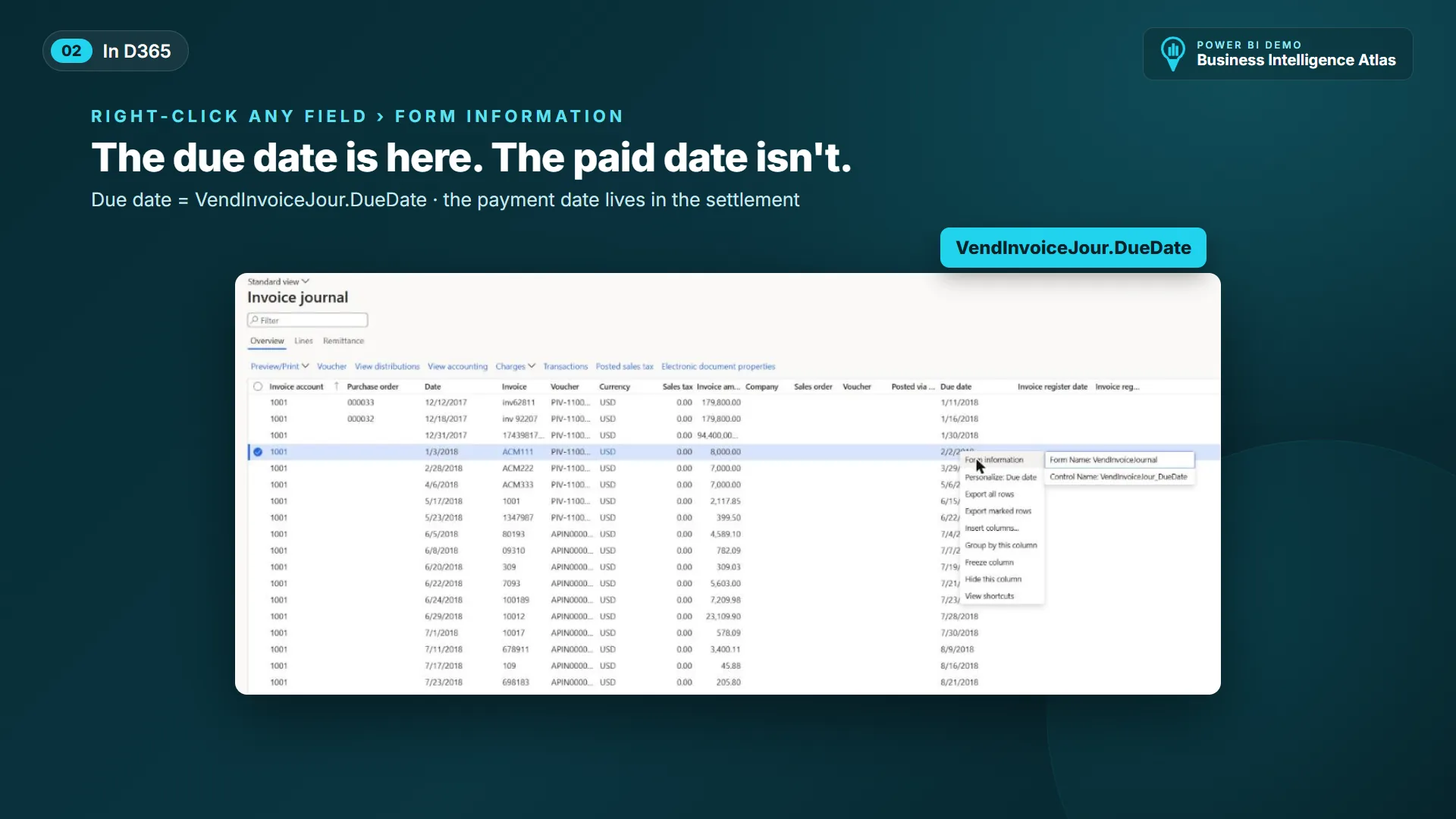
Right-click the due date and choose Form information: the control is VendInvoiceJour_DueDate, the DueDate field of the invoice journal. What you won’t find on this screen is the date the invoice was actually paid. That lives in the settlement, a different table altogether.
Vendor bank accounts

Accounts payable › Vendors › Vendor bank accounts holds where each supplier’s money goes (account numbers are blurred above). In the demo’s German company, two suppliers use bank account 300003EUR. Both records changed last November, and both suppliers were paid within 30 days. That pattern, a bank change shortly before a payment, is what an AP control should surface.
The screens and their tables
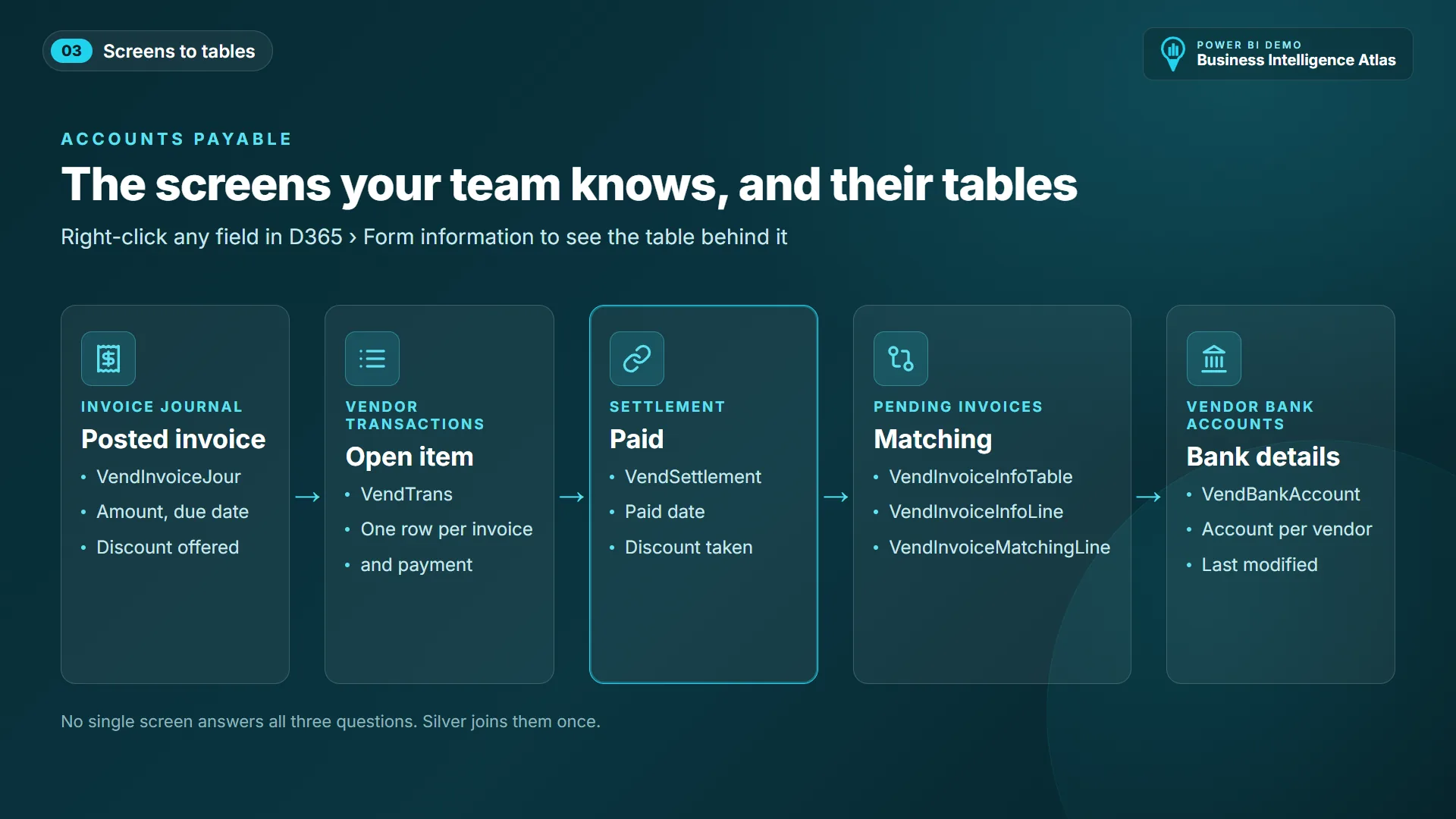
| D365 screen | Table | What we use it for |
|---|---|---|
| Invoice journal | VendInvoiceJour | Posted invoice, amount, due date, discount offered |
| Vendor transactions | VendTrans | The open item each invoice creates |
| Settlement (closed transactions) | VendSettlement | Paid date and discount taken |
| Pending vendor invoices (matching) | VendInvoiceInfoTable, VendInvoiceInfoLine, VendInvoiceMatchingLine | Price tolerance and variance per invoice line |
| Vendor bank accounts | VendBankAccount | Bank account per vendor and when it last changed |
| All vendors | VendTable | Vendor master and group |
How the tables join

Invoices find their vendor transaction on vendor account, invoice number and voucher. Settlements point back to the transaction through TransRecId. Matching lines point to the pending invoice line through RefRecId, and the line finds its header on ParmId + TableRefId. Every join also matches the company (DataAreaId) and filters Fabric Link’s soft-delete flag (IsDelete).
Where it lives in Fabric
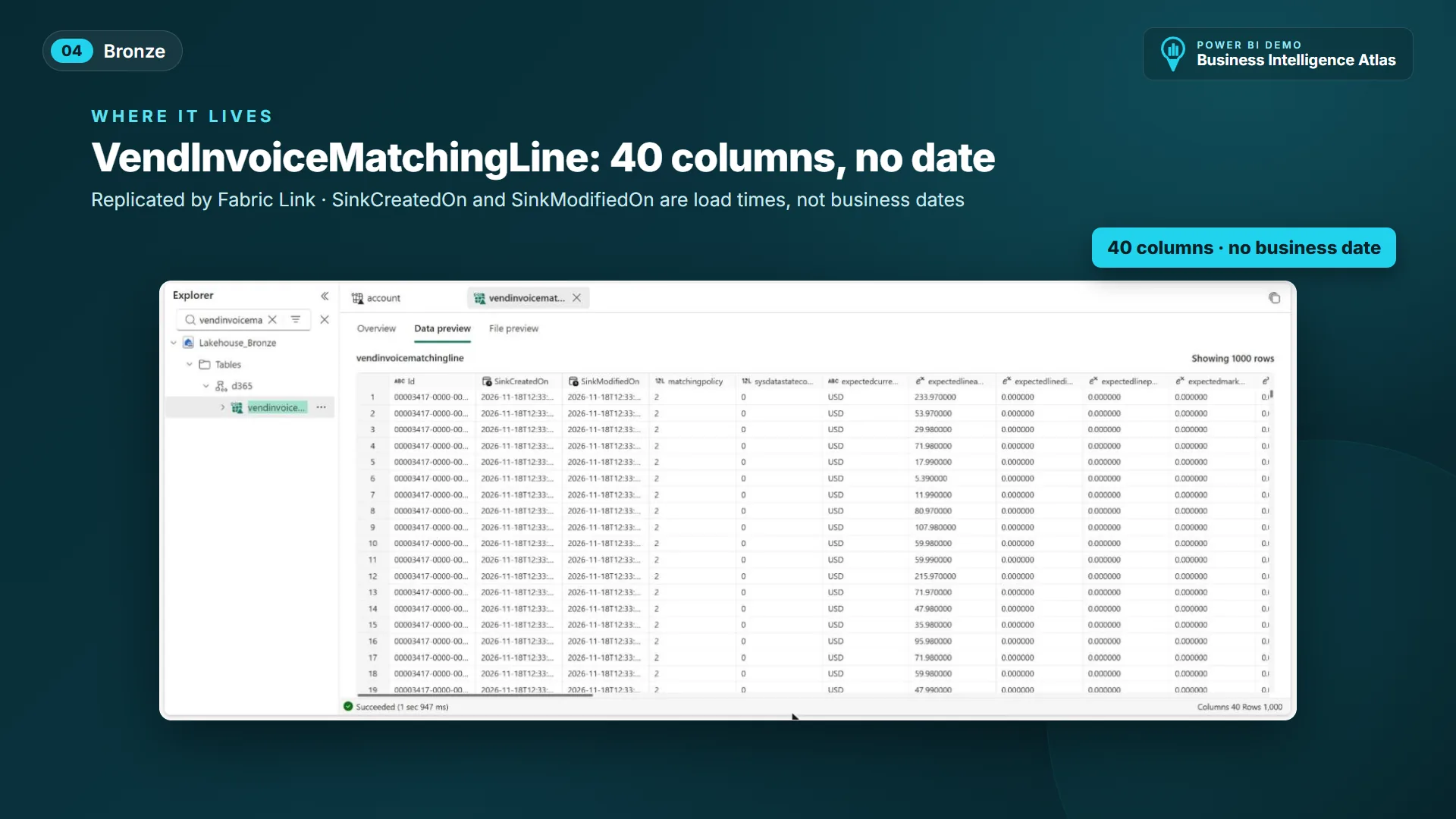
Fabric Link replicates each table into OneLake, and the Bronze lakehouse exposes it as Lakehouse_Bronze.d365.<table>. VendInvoiceMatchingLine has 40 columns, with expected amounts, price tolerance and variance, but no business date: SinkCreatedOn and SinkModifiedOn are the times Fabric Link loaded the row, not when the invoice was matched.
Three things you have to derive
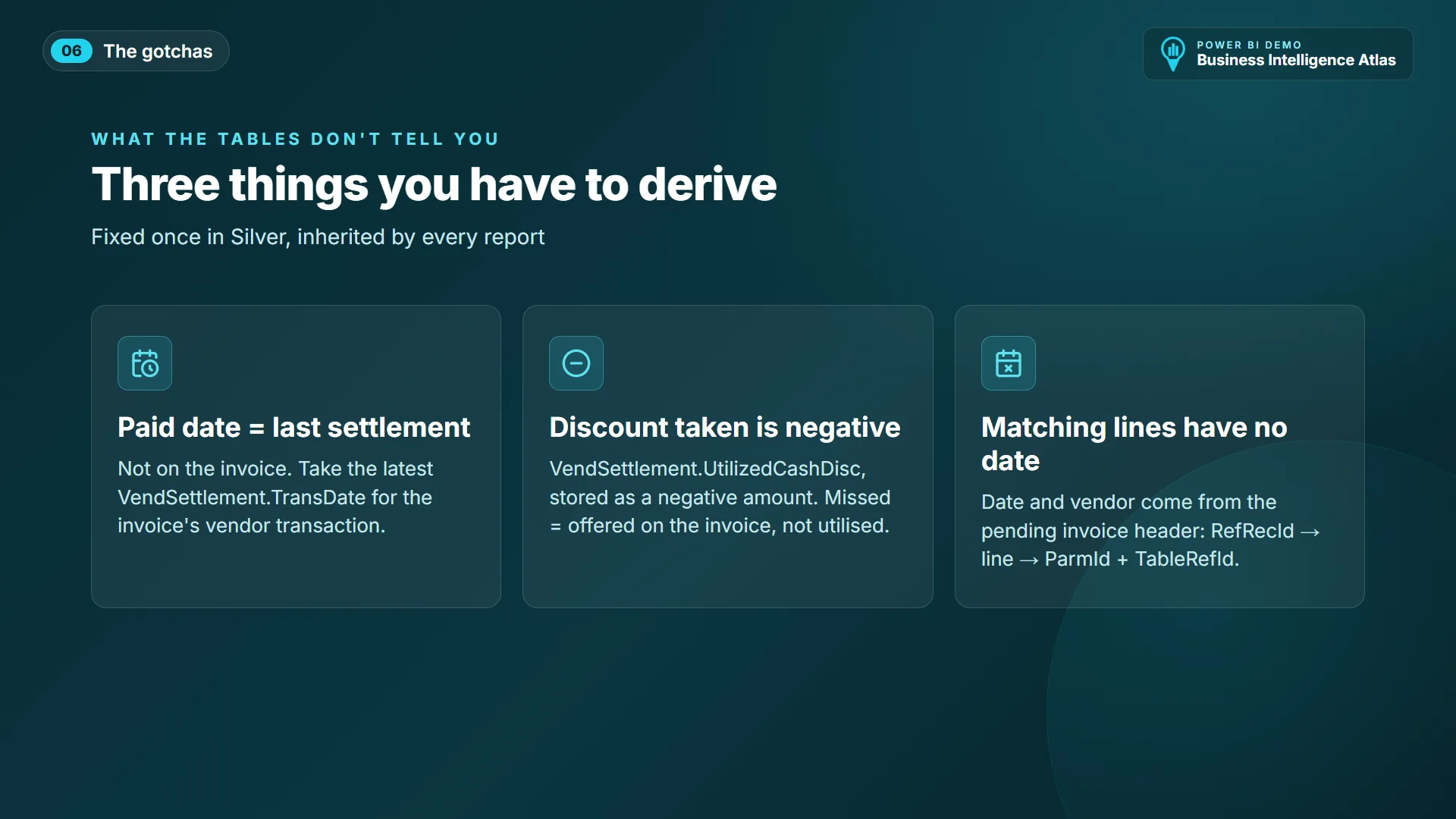
- Paid date = last settlement. It isn’t on the invoice. Take the latest
VendSettlement.TransDatefor the invoice’s vendor transaction. - Discount taken is negative. It is
VendSettlement.UtilizedCashDisc, stored as a negative amount. Missed discount is what the invoice offered and was not used. - Matching lines have no date. Date and vendor come from the pending invoice header:
RefRecId→VendInvoiceInfoLine→ParmId+TableRefId→VendInvoiceInfoTable.
As in every module, D365’s empty date (1 January 1900) is treated as blank first.
The transformation: one T-SQL notebook
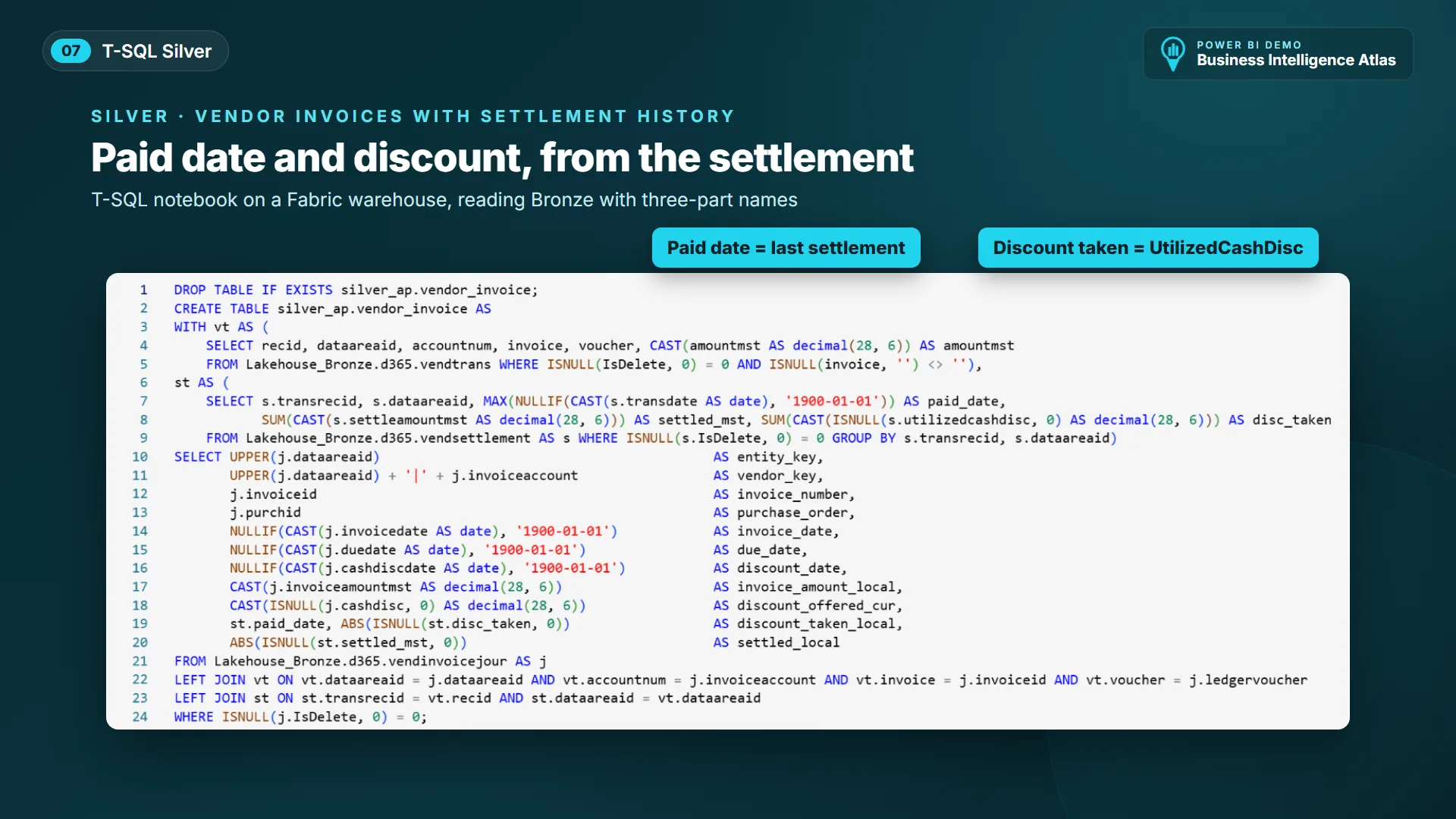
The module runs as a T-SQL notebook in Fabric, attached to a warehouse and reading Bronze with three-part names. The first Silver cell rolls settlements up per vendor transaction (the latest date becomes the paid date, utilised cash discount becomes discount taken) and attaches them to each posted invoice.
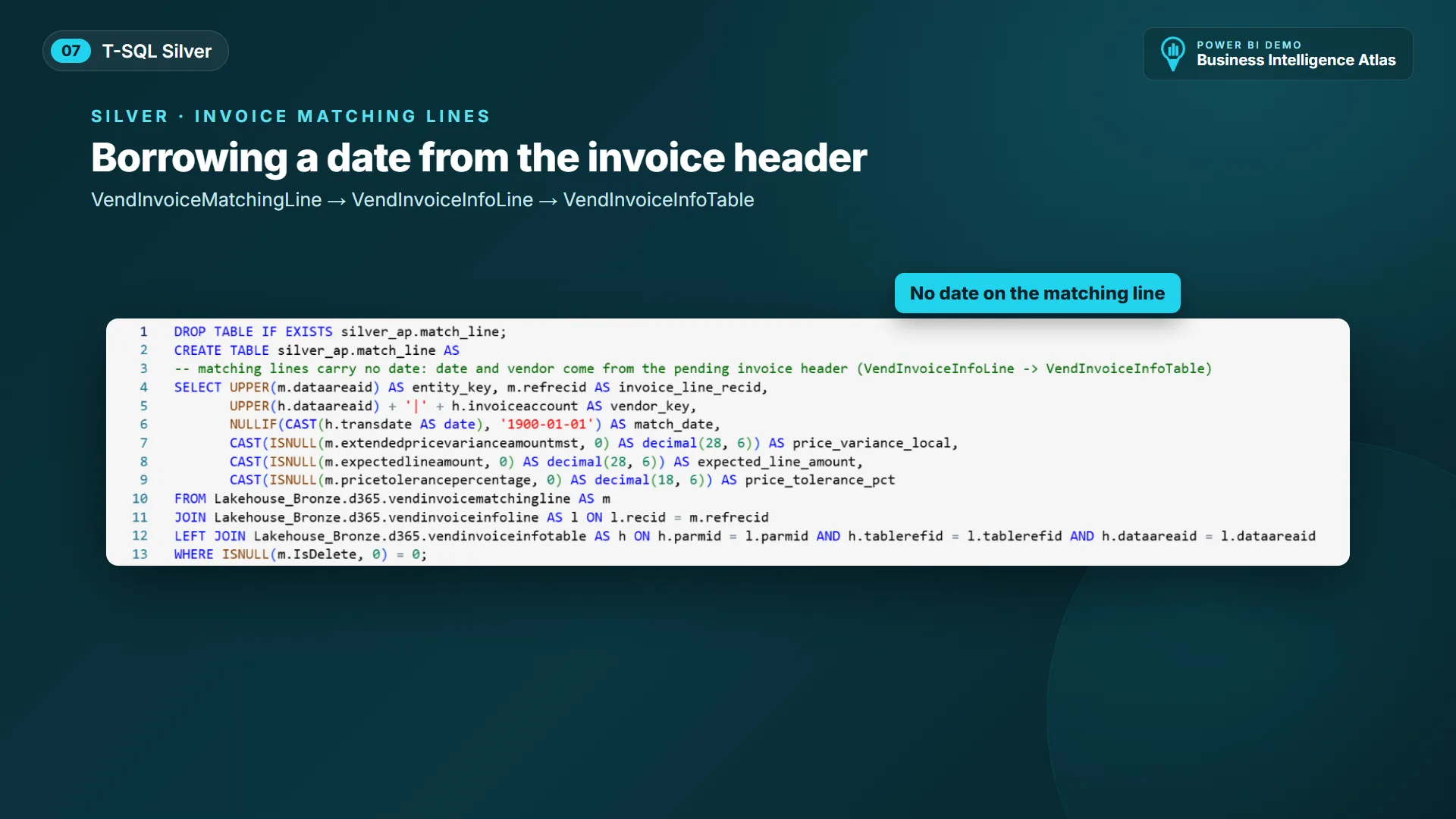
The second cell dates the matching lines from the pending invoice header and keeps the price variance and tolerance. Gold then flags lines outside tolerance, measures days to pay against the due date, and lists bank-account changes with the payments that followed within 30 days, all in pounds sterling.
What you get in Power BI
Supplier payments and discounts

Year to date: £24.0M across 2,054 invoices, paid in 24.5 days on average, but only 65.8% by the due date. Discount taken is £2,058; discount missed is £46.7K, most of it with a single supplier. The table lists the invoices paid furthest past their due date.
AP controls: matching and bank changes
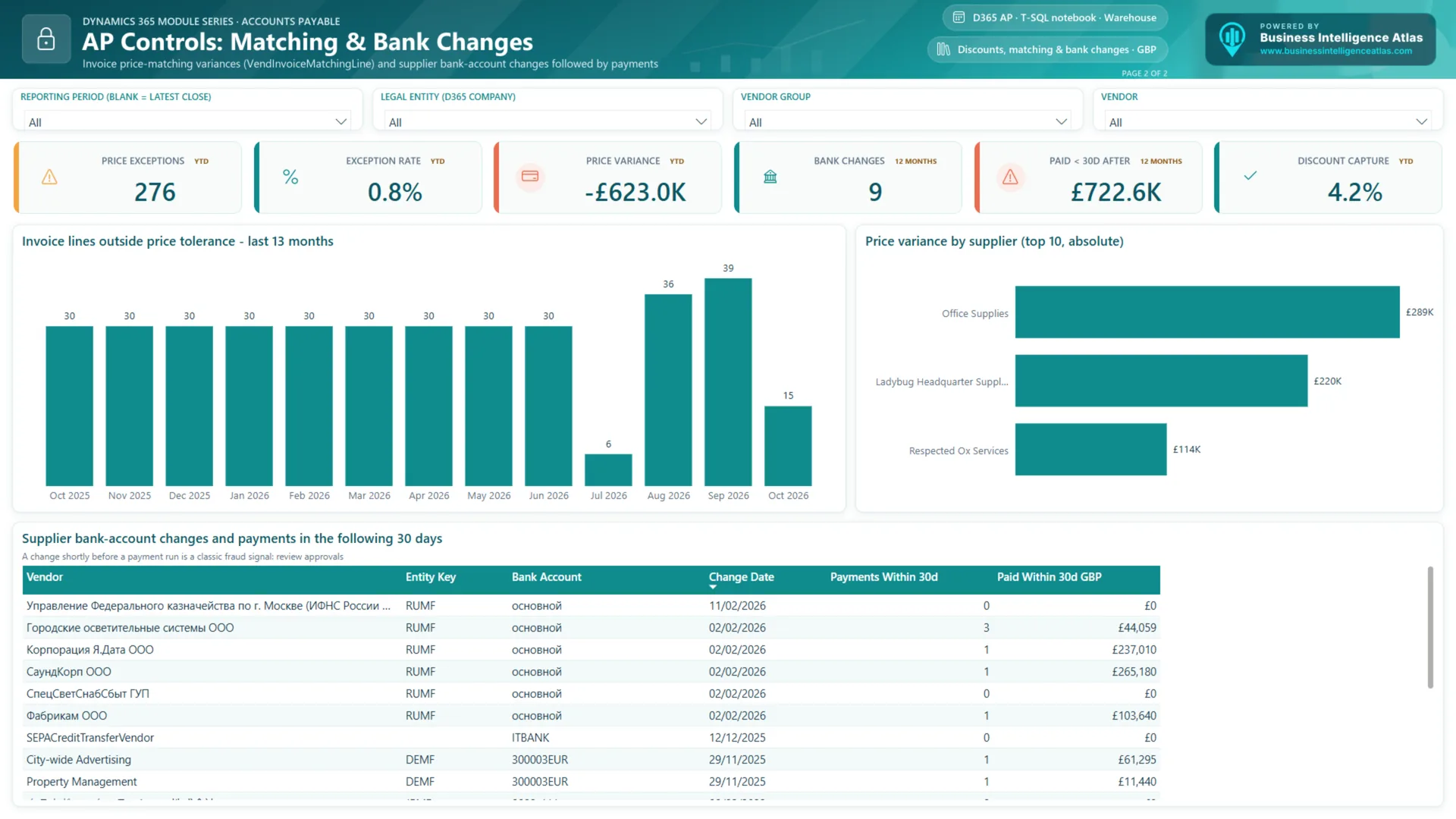
276 invoice lines fell outside price tolerance (0.8%), with £623K of net price variance, led by three suppliers. 9 supplier bank-account changes in the last twelve months were followed by £722.6K of payments within 30 days. Each one is a line for someone to check against the approval trail.
What the controls found
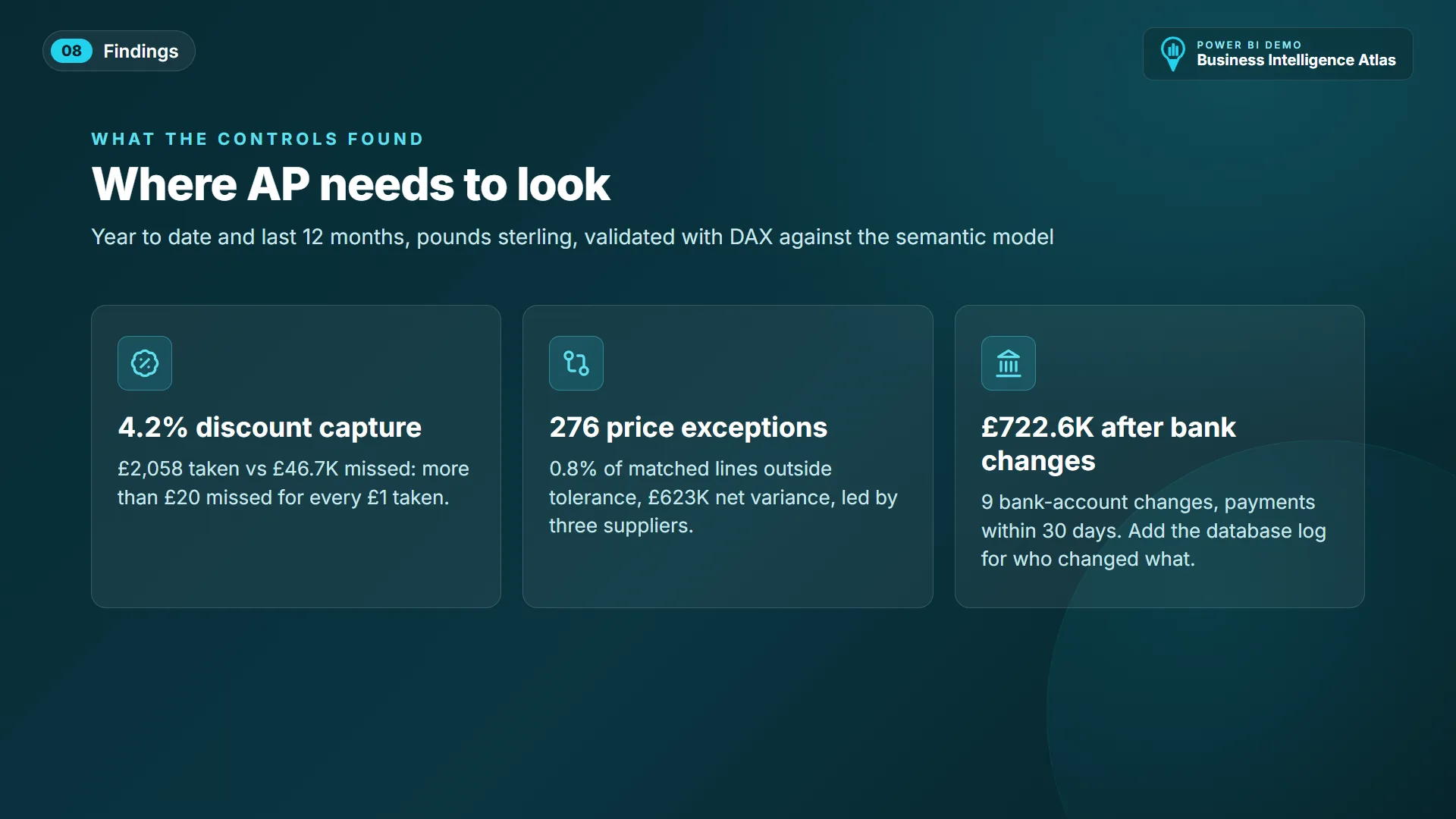
For every pound of early-payment discount taken, more than twenty were missed. Price exceptions are rare and concentrated. And bank changes followed by payments give audit a short, specific review list instead of a sample.
One practical tip: VendBankAccount tells you when a bank record last changed, not who changed it or what the old value was. For a full audit trail, switch on the D365 database log for VendBankAccount and bring SysDatabaseLog into the same model.
Prerequisites
- Dynamics 365 Finance (accounts payable), linked to Microsoft Fabric with Fabric Link.
- The eight tables above selected in Fabric Link (they appear in Bronze automatically through the schema shortcut).
- A Fabric capacity for the warehouse, the T-SQL notebook and the Direct Lake semantic model.
- Power BI Pro for report authors (and for viewers on capacities smaller than F64).
Next in the series
Module 4 covers retail and commerce: store performance, the average basket, and market-basket analysis written in pure T-SQL. Later modules cover projects, procurement and production.
Frequently asked questions
Which D365 tables hold vendor invoices and payments?
Posted vendor invoices are in VendInvoiceJour, the open items in VendTrans, and the payments that settle them in VendSettlement. Pending invoices and their matching details are in VendInvoiceInfoTable, VendInvoiceInfoLine and VendInvoiceMatchingLine.
How do I find the date a vendor invoice was paid in D365?
It isn’t stored on the invoice. Take the latest settlement date (VendSettlement.TransDate) for the vendor transaction the invoice created.
How do you measure missed early-payment discounts in D365?
Discount taken is VendSettlement.UtilizedCashDisc, stored as a negative amount. A discount is missed when the invoice offered one (VendInvoiceJour.CashDisc) and none was utilised when it was paid.
Why does VendInvoiceMatchingLine have no date?
Matching lines belong to the pending invoice. Join RefRecId to VendInvoiceInfoLine, then ParmId and TableRefId to VendInvoiceInfoTable, to get the date and vendor.
Can D365 show who changed a supplier’s bank details?
VendBankAccount shows when a record last changed. To see who changed it and the old values, enable the database log for VendBankAccount and report on SysDatabaseLog.
Is this real customer data?
No. It is Microsoft’s Contoso demo data for Dynamics 365, with dates rolled forward nine years for illustration. Bank account numbers are blurred in the screenshots.
AP controls from your own D365 data
If you run Dynamics 365 Finance & Operations and want payment, discount and bank-change controls your auditors can rely on, we can give you live access to the demo, share the full AP controls table map (every table, key and join we used), or talk through your own set-up on a no-obligation discovery call.
Business Intelligence Atlas (Atlas BI) is a UK Microsoft Fabric and Power BI consultancy. The demo uses Microsoft’s Contoso sample data for Dynamics 365; company and supplier names are fictional, bank details are blurred and dates have been rolled forward for illustration.
Related: D365 inventory value at any date · D365 sales: true margin and OTIF · D365 F&O to a Power BI board pack in Microsoft Fabric.
Comments are closed